| . | Mystic Towers |
. |
| . |
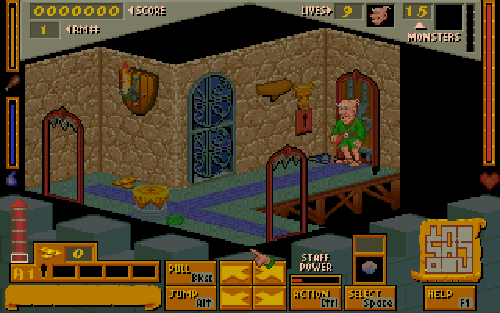
How to Play Mystic Towers has two modes of play: Apprentice Mode and Wizard Mode. Each has different floor and room layouts making almost a different game. Apprentice mode focuses on killing monsters and using spells. Wizard Mode includes harder monsters and harder puzzles. To exit a tower, you most destroy the Monster Generator and you will receive a key to exit. Two towers are located in each conquered province(or episode). Near Rimm Village (shareware episode) there is a Rimm Tower (Apprentice Mode) and a Rimm Fortress(Wizard Mode). You have to complete Rimm Tower as Apprentice to qualify as a Wizard. Controls Mystic Towers can be controlled by any combination of a keyboard, mouse, or joystick. The keys can be used for everything in the game or a mouse can be used to click on the buttons located on the screen during gameplay.
|
. |